Uploading and Using Content
Uploading Images, Documents, and Media
Upload your images before using them for your web pages.
| First, find the 'uploads' folder. This can be found on the home page or within the corresponding folder. |  |
|
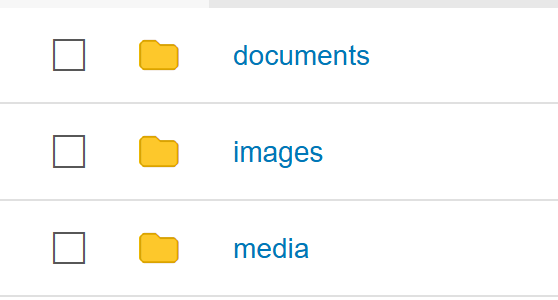
Find the appropriate folder and select the correct media type.
|
 |
| Click the 'Upload' button. Drag and drop is supported for multiple media uploads. |  |
To create a new content folder, click the 'New' button and select 'New Folder.' Name the folder documents, images, or media and upload the appropriate content type.
Also reference CMS Support Page for additional resources.
Using Content
To access and add content to a page, click on either the photo, video, or link icon.


Note: The link icon can be used to attach documents (PDFs) and links to external sites. Links can also be added to images.
Click the source button to browse and add media.

Your image must be sized - your image should be resized to exactly the size appeared
on your web page.
Avoid using very big file size for page content because this will slow down the page
loading time. Less than 200KB file size is more preferable.
Important: Please do not upload megabyte (MB) image file and resize it to a small picture on the web page (for example: 3600px width scaled to 200px)
If you use Photoshop or another image editor software, select the "Save for Web..." or "Export" option to optimize your images for web use.
To comply with Web accessibility standards when placing images and graphics on pages,
always remember to alternative text “Alt Text” for every image
placed on a web page.
Here are some general guidelines on the use of alt text:
If the image conveys information, or conveys text, then the Alt Text should convey
the same information.
- If the purpose of the image/graphic is to provide "eye candy" (i.e. visually setting a mood) then Alt Text should be blank (alt="").
- If the image is redundant or conveys no information, the Alt Textt should be blank (alt="").
- If the image is an active link, it must have an meaningful Alt Text, which specifies the function of the image (i.e. what the target of the link is).
- In all instances of Alt Text, avoid entering “picture of…” or “image of…” or “link to…” etc. as screen reading software already informs the user of this when they encounter an image or link.
- When images of tables or graphs are placed on page, in addition to Alt Text, a complete description of the information contained on the table or graph should follow the image.